The Complete Guide to Getting Started with WordPress 2023
WordPress has established itself as one of the most popular content management systems (CMS) today. Its ease of use, particularly in building and managing websites, has made it a popular choice for a wide range of users. This article provides a basic guide to getting started with WordPress, helping even new users easily navigate the platform.
What is WordPress?
WordPress is a content management system (CMS) that allows users to easily build and manage websites. This platform is popular with both beginners and experts alike due to its easy-to-use interface and extensive features. Furthermore, its open-source nature allows for free customization, and numerous plugins are available to add a variety of features.
The main advantages of WordPress are:
- User-friendly interface
- Endless customization options
- Supports various themes and plugins
- Extensive community support
- Building a cost-effective website
In conclusion, WordPress is a CMS preferred by many businesses and individual users due to its functionality and extensibility.
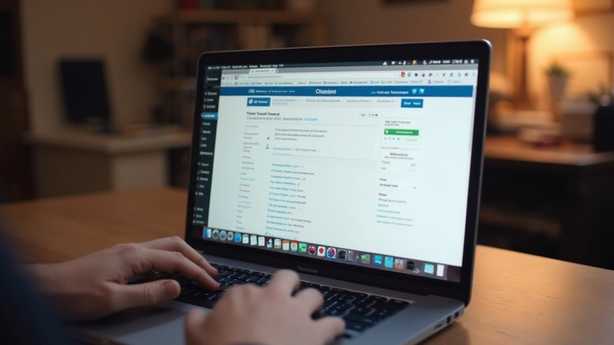
Essentials for Getting Started with WordPress
Before installing WordPress, there are a few prerequisites. First, you need to choose a domain and a web hosting service. These are essential for publishing your website online. Choosing the right domain and a reliable hosting service will make installing WordPress easy. Many hosting providers offer automatic WordPress installation features, so taking advantage of them is a good option.
Guide to Choosing WordPress Themes and Plugins
Choosing the right theme and plugins is crucial for building a successful WordPress site. The theme determines the website's design and user experience, so it's best to choose a user-friendly and responsive theme. The most popular themes offer a clear and clean layout and are designed to easily adapt to a variety of user needs. Choose a theme that suits your website's purpose and bring out its individuality.
Plugins can extend WordPress functionality and enhance the user experience. Plugins offer a variety of features, including site performance optimization, enhanced security, and search engine optimization (SEO). For example, WooCommerce provides online store functionality, and Yoast SEO offers search engine optimization tools. Additionally, you can enhance your site's functionality with essential plugins like Wordfence Security for security and Contact Form 7 for adaptability to changing needs.
- Elementor: Edit pages in real time with this page builder.
- Yoast SEO: Search Engine Optimization Support
- Wordfence Security: Provides security and firewall features.
- Contact Form 7: Customizable Contact Form
- WooCommerce: Add eCommerce Features
- Akismet Anti-Spam: Spam blocking filtering
- Jetpack: Site Performance and Security Management Tool

WordPress Management and Maintenance
Regular updates and maintenance are crucial when using WordPress. Keeping all sites and plugins up-to-date minimizes security vulnerabilities. Regular updates optimize site performance and allow you to take advantage of new features to enhance the user experience. It's especially important to apply major WordPress core updates promptly.
Regular backups are essential to preventing site data loss. You can use various backup plugins to automatically set up backups. Consider storing your backup data on external storage for emergencies. Additionally, you should establish an efficient recovery system to ensure rapid site recovery in the event of a problem.
Security is essential to all aspects of site operation. Strengthening administrator account security and blocking suspicious access attempts are effective strategies, including using multi-factor authentication and security plugins. Enhancing security is crucial for protecting data and enhancing site reliability.
Advanced uses and troubleshooting
For those looking to delve deeper into WordPress, we'll introduce some advanced usage techniques and troubleshooting tips. Custom coding or child themes can be helpful for customizing to meet unique user needs. Additionally, if you have a complex site structure, you can utilize the Multisite feature to manage multiple sites from a single platform. If you encounter issues, you can use debugging tools or seek support in various WordPress community forums. Staying updated is crucial, especially to resolve plugin conflicts and theme compatibility issues. Additionally, consider using caching plugins for performance optimization, image optimization, and utilizing a Content Delivery Network (CDN).
Conclusion and wrap-up
With this Complete Guide to Getting Started with WordPress 2023, we hope you've gained comprehensive knowledge on building and managing a website, from the basics to advanced usage. WordPress allows you to effectively establish your brand or business online, and selecting the right theme and plugins, as well as managing and maintaining them, are crucial. Now, don't hesitate and put all this information into action. You'll be able to leverage WordPress's limitless potential to create a successful online presence. Visit the official website and start your first WordPress project today!


 English
  한국어
한국어  简体中文
简体中文